the digital cupid 💘: developing a tinder-like app

One of my first specialization challenges at École 42 was this project called matcha, to develop a dating website from scratch, full of complex features.
Here are some of the cool features we have:
Text and video chat, real-life date scheduling system, interactive map of users, account verification and password recovery via email, complete notification system, responsive design, oauth authentication (login with google), personal photo gallery... whew 😮💨 that's not all, but I'm too tired to continue listing
Not only did we have the complexity of building a matching algorithm based on gender, sexual preferences, and interests, but we also had to deal with geographical locations.
We had to find the approximate location of the user if they don't allow us access to the browser's location tracking
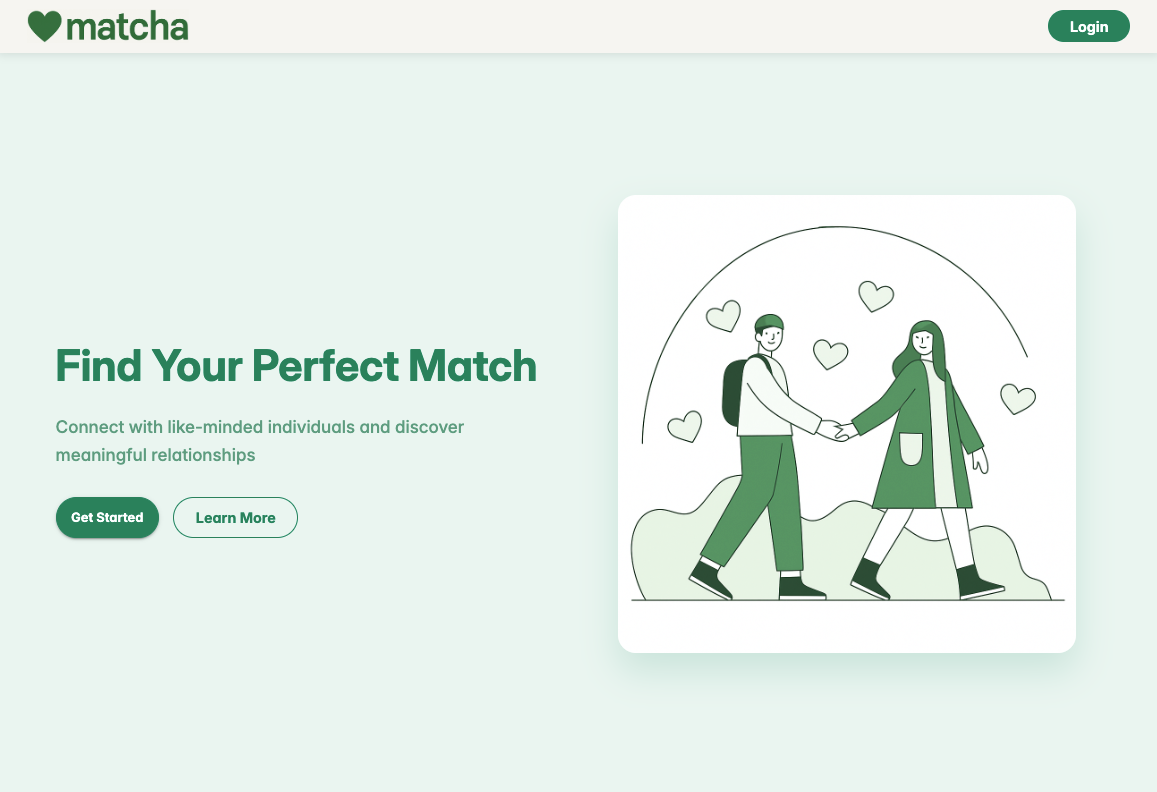

matcha's home page and login page
It's funny because it might look like a simple app, but when you start having complex relations in your database, the problems show up very quickly, and implementing new features starts to take a lot of time.
For you to have an idea, here's the current structure of our database:
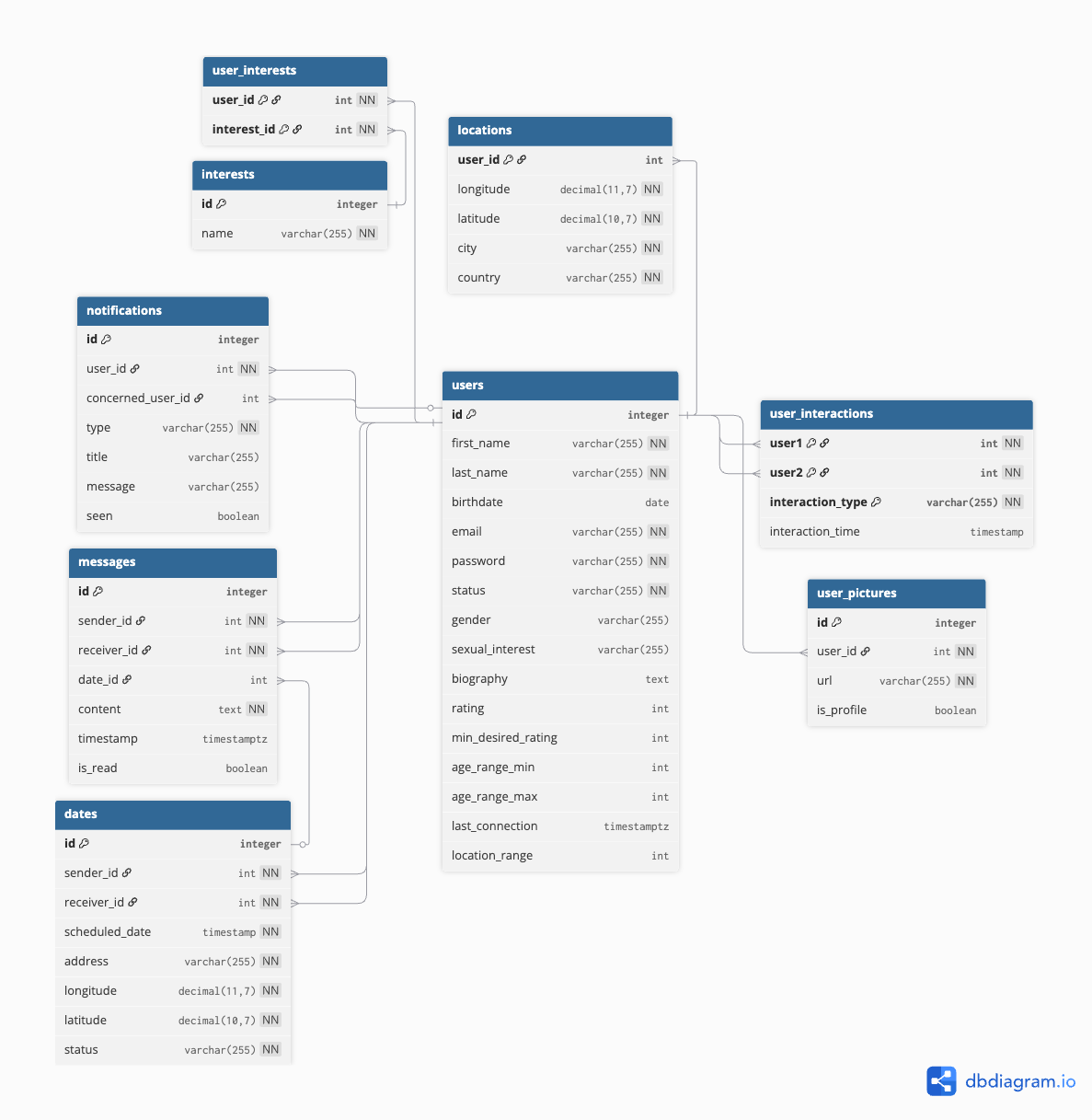
We used Neon as our database provider instead of Supabase to have more control over our SQL queries, since this was required at the project's subject. Neon provides a serverless PostgreSQL database, and we were very surprised by how good their platform is and how fast the queries are. They have a very generous free-tier as well 😅
To test the app features, we had to populate it with more than 500 fake users, including several celebrities and famous cartoon characters
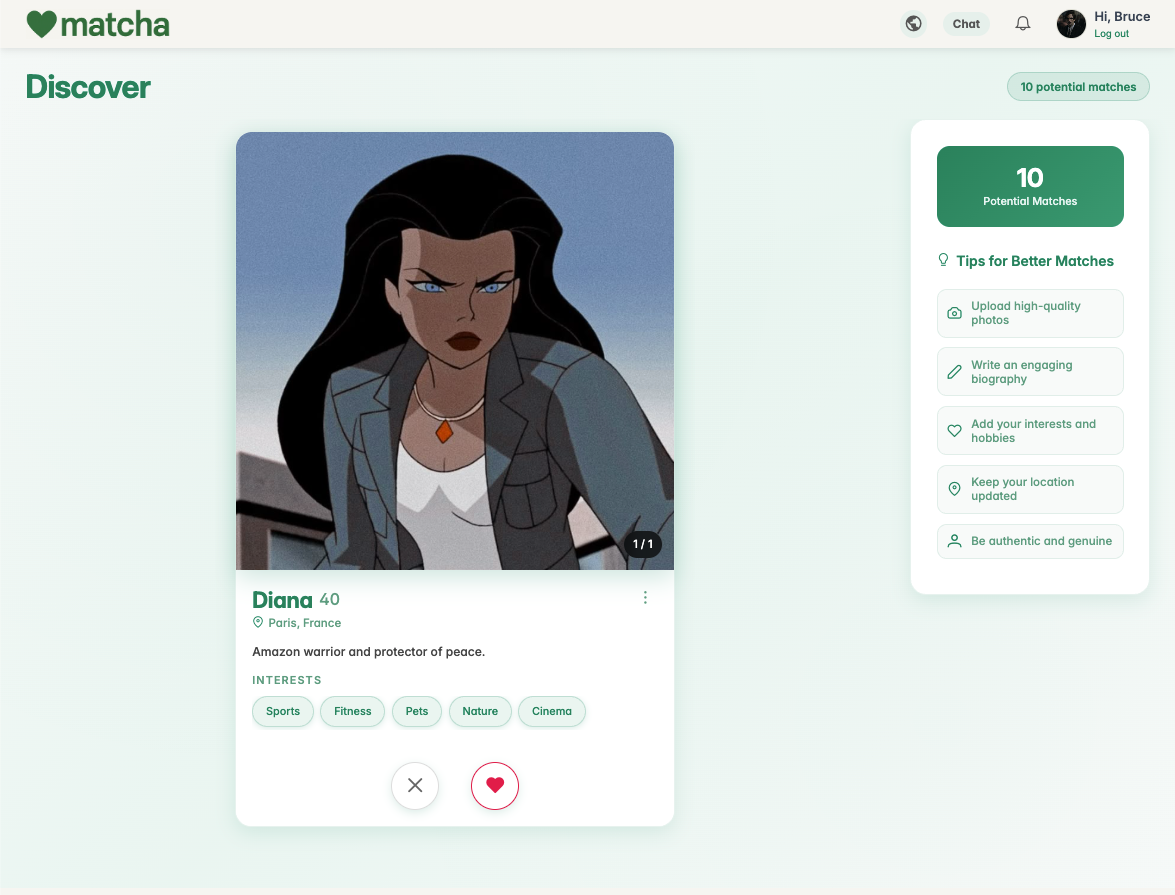

matcha's discover page and profile page
The frontend is in React, and the backend is built with Node.js. We went with an MVC architecture for the backend, having all the layers very well defined and restricted, which can be a challenge when dealing with untyped languages like JavaScript. Everything can become a mess very quickly if you don't pay attention.
Our backend structure looks a bit like this:
42_matcha_back/
├── api/
├── config/
├── controllers/                  # Request handlers (API layer)
│   ├── AuthController.js
│   ├── UserController.js
│   ├── UserInteractionsController.js
│   ├── MessagesController.js
│   └── ...
├── models/                       # Database operations
│   ├── User/
│   ├── UserInteractions/
│   ├── Messages/
│   └── ...
├── services/                     # Business logic
│   ├── UserService.js
│   ├── AuthService.js
│   ├── MessagesService.js
│   └── ...
├── utils/
├── exceptions/                   # Error handling
├── tests/
├── routes.js                     # API routes
└── script.sql                    # Database setup
The Error handling is definitely the star ⭐ in this project. Everything is very well protected.
The WebSocket challenge
Our plan since the beginning was to host the application at Vercel. However, serverless deployments don't go well with WebSockets 😔
Quick WebSocket explanation
If you're not familiar with WebSockets, it's a way to manage real-time communication. The backend hosts a WebSocket server where clients can connect and, while connected, they can receive messages in real time. Very useful for chat, or notifications. You probably don't want to be polling the backend every second to know if a new message has arrived. With WebSockets, the server can just send the data to the client in real-time. I also used WebSockets to handle the multiplayer game in my Transcendence project.
You can probably already see where the problem is. With a serverless backend hosted in Vercel, it's just not possible to have a running server keeping long-lived TCP connections.
AWS provides some native solutions when you are using Lambda, but that's not the case for Vercel. So the solution would be to have our WebSocket server hosted somewhere else, outside our backend. That's when we met Pusher. Pusher is a great WebSocket server provider, but it has some limitations. It's not as simple to use as socket.io, it has fewer integrations, and it is not 100% bi-directional like socket.io is (you can make it bi-directional only in private channels).
This easily solved our text chat problem. However, we still needed to do a video chat, and socket.io integrates easily with WebRTC which is the dependency we use to do audio/video chat. And to top it all off, there were no tutorials, documentation, or code examples on how to make it work with Pusher.
TLDR: It was extremely hard to make Pusher work with WebRTC for video chatting. But we did it 🥳 We have video chat.
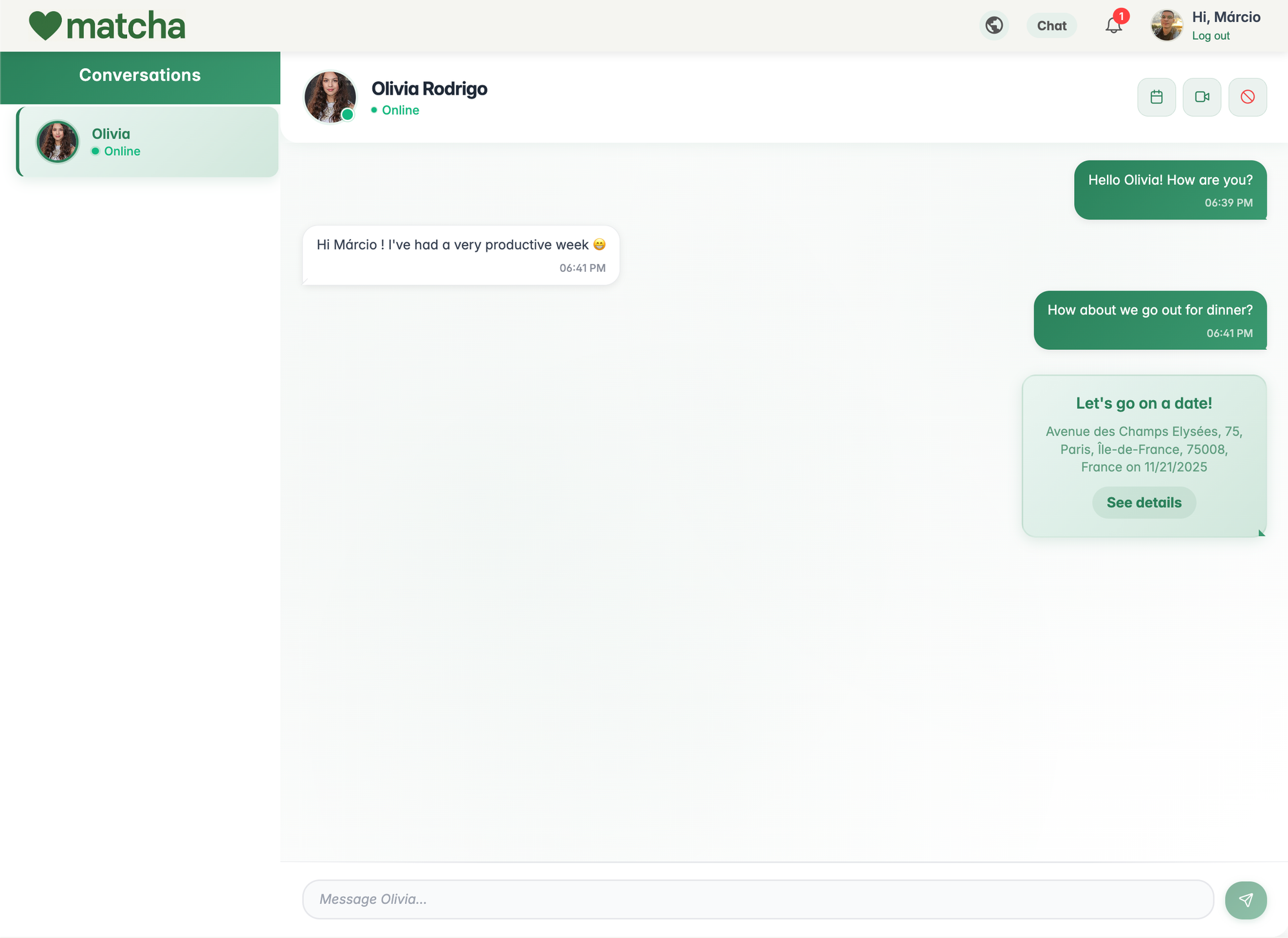

Teo Rimize and I testing the video call feature
The attention to detail
We really loved doing this project, and you can really see it by the level of detail of the application. We added tiny, almost imperceptible things that make a world of difference at the end. Here are some of them:
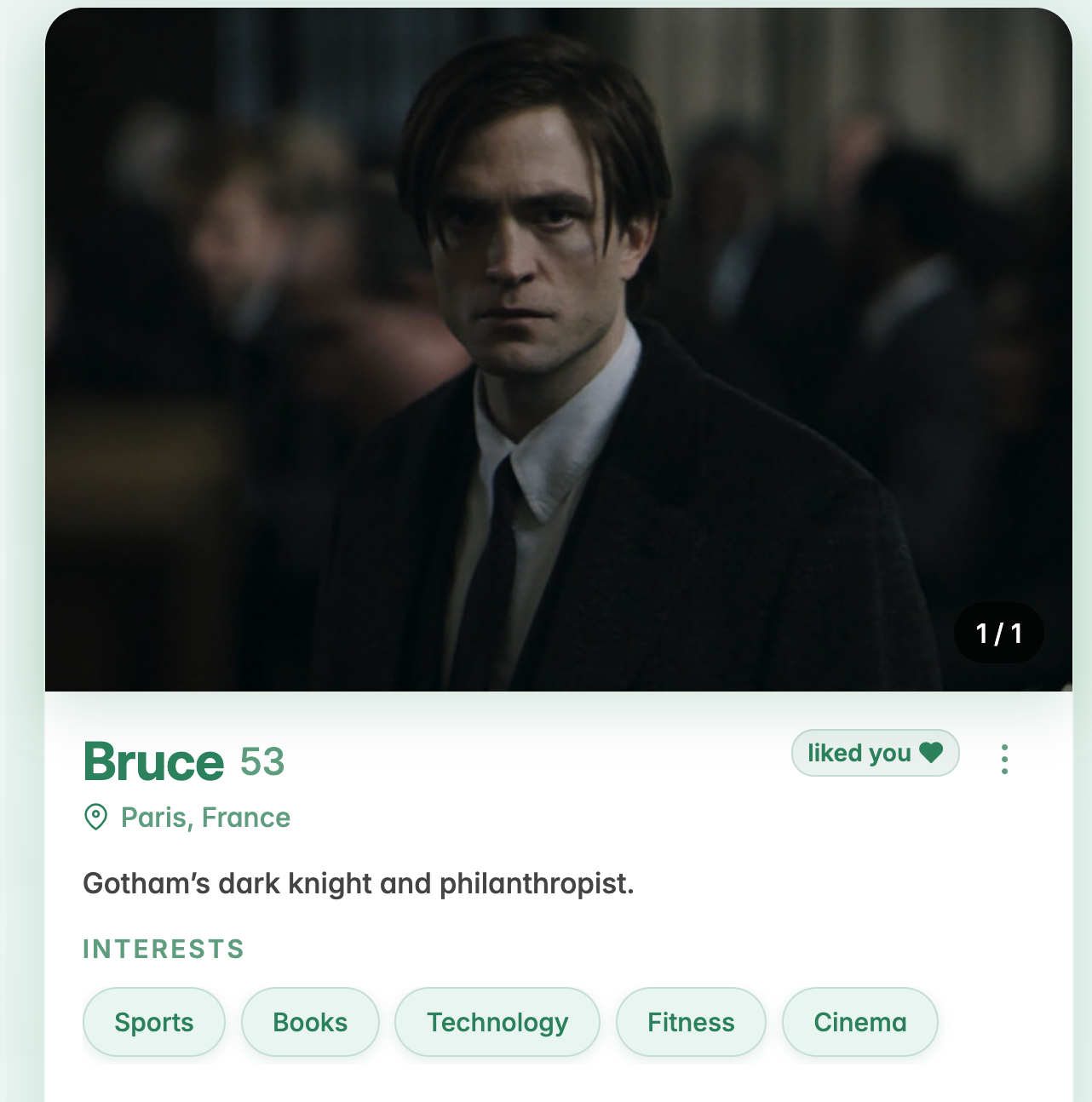
The small liked you 💚 tag tells you that this person has already liked your profile.
The well-developed ⭐ notification system
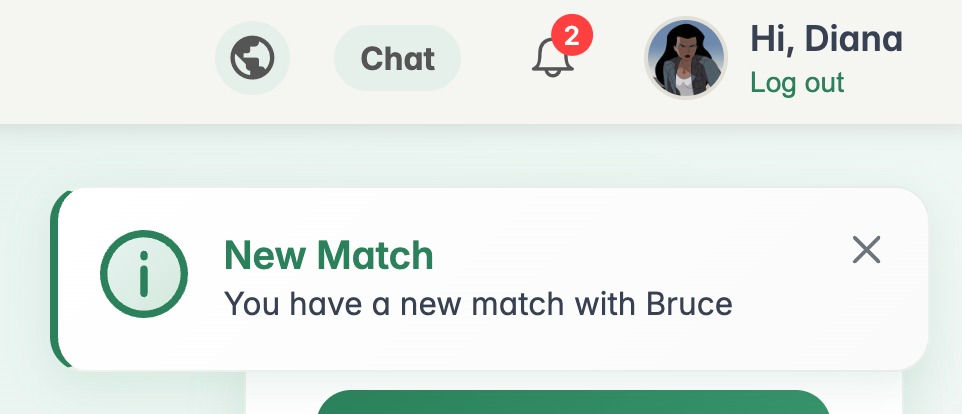
Even the favicon shows you when you have unread notifications 🤯


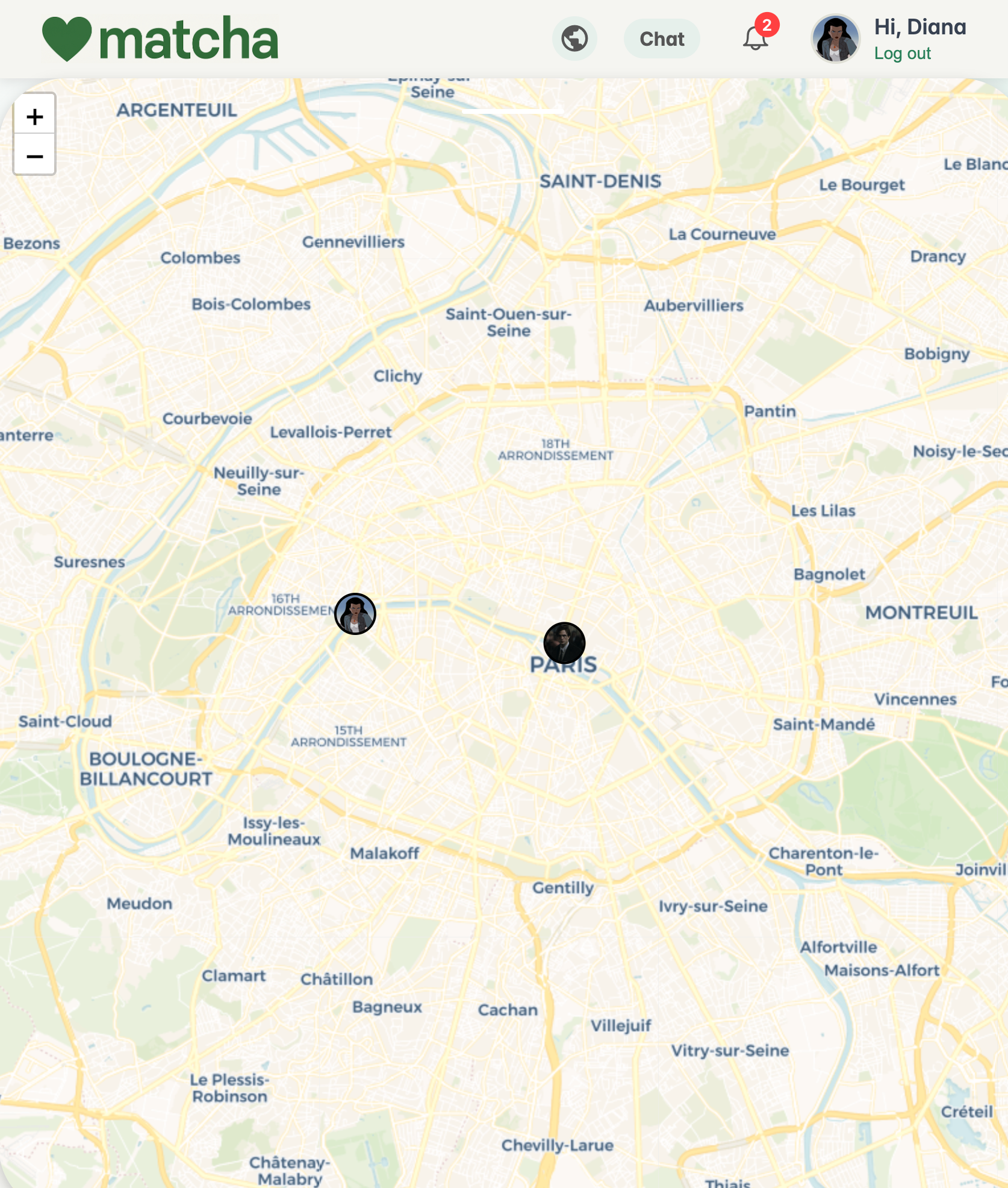
The interactive map to see where your matches are from 🌎
Conclusion
Matcha was a very satisfying project to do. It's always a pleasure to work with the technologies we love, and Web gives me that pleasure. It was a project that really challenged us and made us learn lots of new things.
Please check out our GitHub repos below, and test the application yourself (who knows, you might find a soulmate). Matcha is available at matcha.marcioflavio.com
 marcioflaviob
 marcioflaviob